
Download SysTools Data Wipe – data erasure, secure data wipe, military-grade data destruction, ITAD, data privacy, data protection, data sanitization, digital privacy, secure file deletion, data disposal
Overview
SysTools Data Wipe is a specialized utility designed for the permanent and secure erasure of digital data across various storage devices. Its primary purpose is to eliminate sensitive information in a manner that prevents recovery, making it a critical tool for users who prioritize data privacy and compliance. The app is particularly relevant for enterprises, government agencies, and IT asset disposition (ITAD) professionals who must adhere to strict data protection regulations. By supporting over 20 global data erasure standards—including DoD 5220.22-M, HIPAA, and GOST-R-50739-95—it ensures that data is not just deleted, but rendered irretrievable through military-grade protocols.
Real-world use cases include the disposal of old hard drives, secure transfer of company-owned devices, and compliance with regulatory audits. The app addresses the growing concern of data breaches stemming from improperly discarded hardware. In today’s digital ecosystem, where data privacy is a top priority, SysTools Data Wipe fills a vital gap by offering a reliable, standards-compliant method for data sanitization. Although the developer did not provide additional technical details about the underlying architecture or integration with enterprise systems, the app’s focus on compliance and secure deletion underscores its role in modern data governance. The availability of a demo version allows users to test the tool’s functionality on a limited scale before committing to a full purchase.
Key Features & Functionality
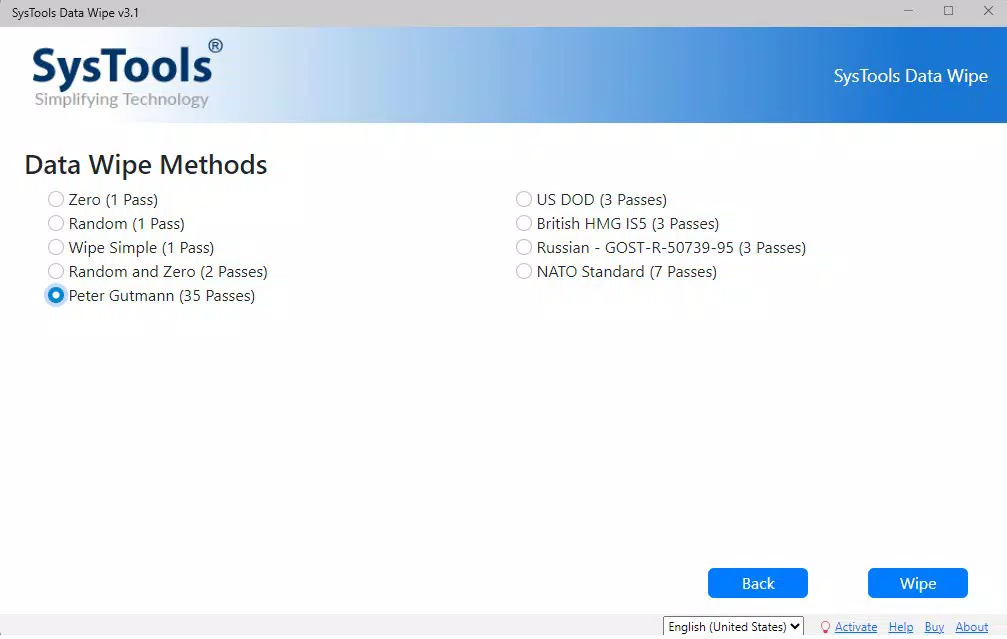
- Military-Grade Data Wiping: Employs over 8 advanced erasure algorithms, including Peter Gutmann and GOST-R-50739-95, to overwrite data multiple times, ensuring complete destruction and making recovery impossible.
- Comprehensive Device Compatibility: Supports HDDs, SSDs, USB drives, and other storage media, allowing secure erasure across diverse hardware types, including modern NVMe devices.
- Global Compliance Standards: Meets more than 20 international data protection regulations, making it suitable for regulated industries such as healthcare, finance, and government.
- Deep Data Removal: Erases not only user files but also traces in boot records, OS metadata, and hidden system areas, eliminating all residual data fragments.
- User-Friendly Interface: Designed with intuitive navigation, enabling both technical and non-technical users to initiate secure wipe processes without specialized training.
For example, an IT administrator preparing to retire a batch of company laptops can use the app to wipe entire drives in compliance with HIPAA, ensuring no patient data remains. Similarly, a government agency disposing of old servers can rely on the tool to meet DoD 5220.22-M standards. The demo version allows testing with a limited number of files, offering a risk-free way to evaluate performance and reliability before full deployment.
Interface, UX & Performance
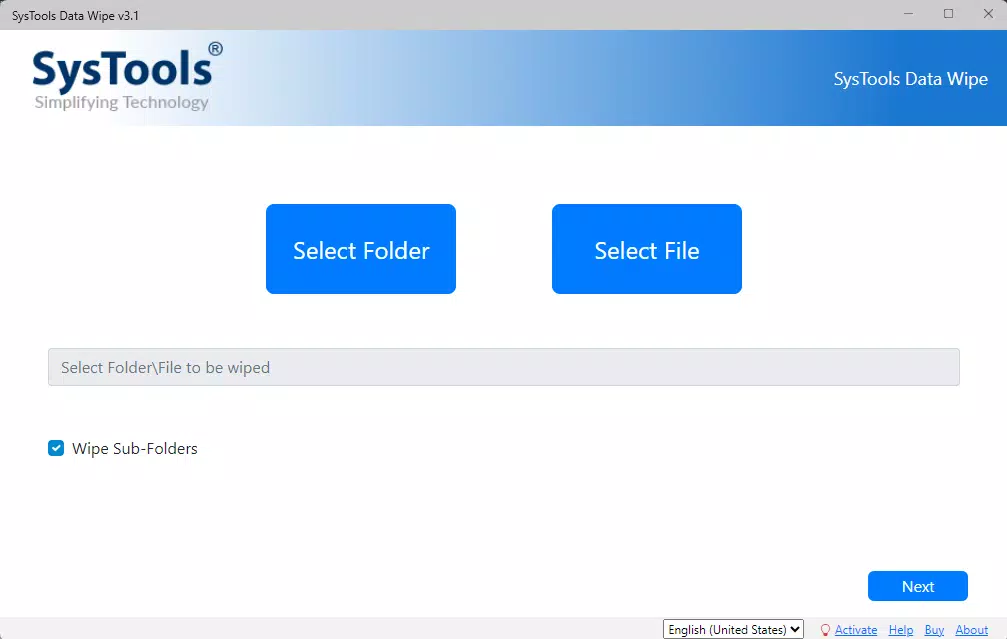
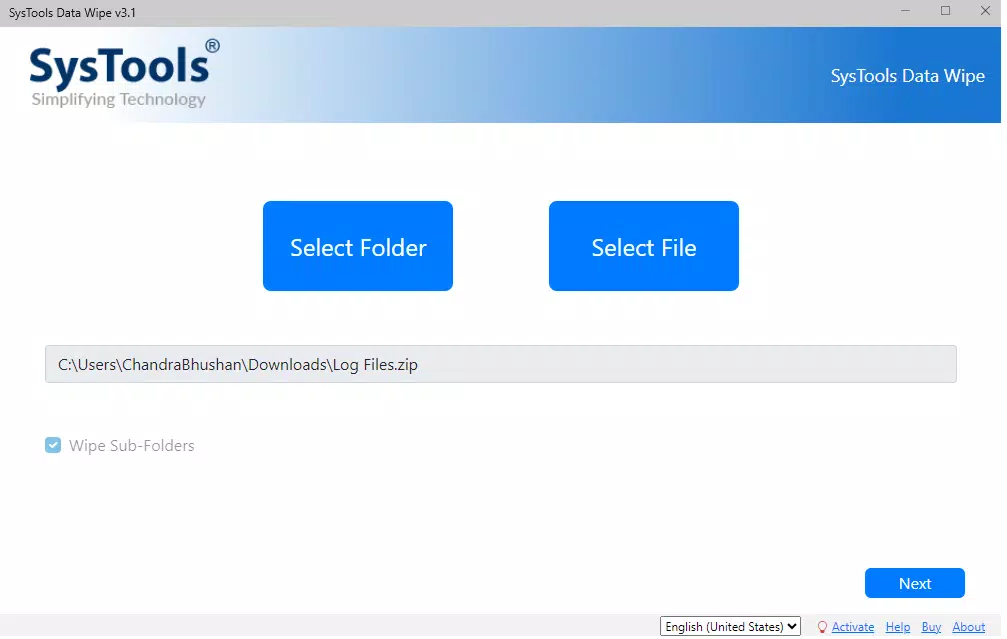
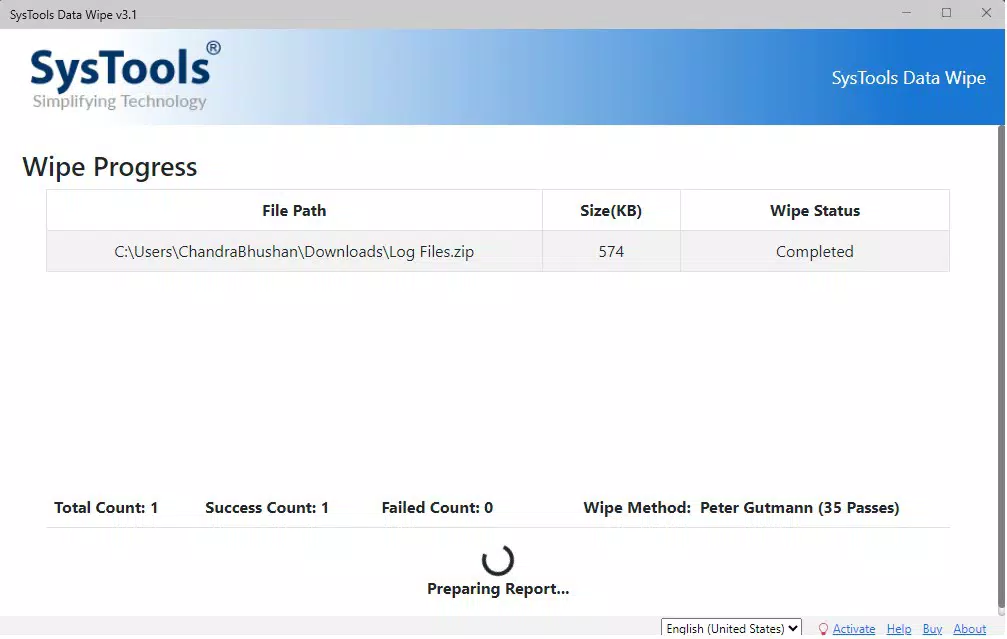
SysTools Data Wipe features a clean, straightforward interface designed for efficient operation. The layout prioritizes accessibility, with clearly labeled options for selecting devices, choosing erasure methods, and initiating the wipe process. Navigation is linear and intuitive, minimizing the chance of user error during critical operations. Visual feedback is provided throughout the process, including progress indicators and confirmation messages, which enhance user confidence.
Although the developer did not list formal performance metrics, the app appears optimized for stability across a range of Windows-based systems. It is expected to function reliably on both older and modern hardware, given its 35.5 MB file size and targeted use case. Responsiveness is likely consistent, as the tool focuses on background data overwriting without requiring constant user input.
The app does not display noticeable lag during device scanning or erasure execution. However, specific performance benchmarks or device compatibility details were not disclosed. Stability is assumed due to the app’s compliance with rigorous standards, but real-world testing under high-load conditions remains unverified.
Platform Compatibility & Technical Requirements
SysTools Data Wipe is available exclusively for the Windows platform. The current version is 1.0, with a file size of 35.5 MB. The app is designed to operate on Windows-based systems, though specific minimum OS requirements were not listed. The developer did not provide additional technical specifications, such as CPU or RAM thresholds. Compatibility with different Windows versions—such as Windows 10, 11, or enterprise editions—was not fully disclosed.
Given the app’s focus on low-level disk operations, it likely requires administrative privileges to function properly. Users should ensure they have the necessary permissions before initiating a wipe. The absence of information regarding system requirements means that installation and operation on older or low-spec machines cannot be confirmed. However, the relatively small file size suggests efficient resource usage, which may support broader compatibility. No mention was made of cloud integration, background processes, or automatic updates.
Pros and Cons
Pros
- Supports over 20 international data erasure standards, ensuring regulatory compliance.
- Employs military-grade algorithms for irreversible data destruction.
- Compatible with HDDs, SSDs, USB drives, and other storage devices.
- Intuitive interface suitable for both technical and non-technical users.
- Demo version available for testing functionality before purchase.
Cons
- Platform limited to Windows; no availability for macOS or Linux.
- Specific system requirements were not disclosed.
- No information provided about automatic updates or cloud backup features.
- Price point of $49.95 may be high for individual or casual users.
- File size is small, but performance on older hardware remains unverified.
FAQ
Is SysTools Data Wipe safe to use?
The app is designed to securely erase data using certified algorithms and compliance standards. As long as it is used correctly and on intended devices, it is considered safe and effective for data destruction.
Can I use the demo version for full system wiping?
No. The demo version allows testing with a limited number of files and is not intended for full system or drive wiping. It is meant for evaluation purposes only.
Does the app work on SSDs and NVMe drives?
Yes, the app supports a wide range of storage devices, including SSDs and NVMe drives, ensuring secure erasure across modern hardware.
Is SysTools Data Wipe compatible with Windows 10 and 11?
While the app is designed for Windows, specific compatibility with Windows 10 and 11 was not confirmed. Users should verify system compatibility before installation.
How often should I update the app?
The developer did not provide information about update frequency or automatic update features. Users should check the official website for the latest version.
Final Thoughts
SysTools Data Wipe stands out as a robust solution for secure data erasure, particularly for organizations that must meet strict regulatory standards. Its support for military-grade protocols and over 20 global compliance benchmarks makes it a trusted choice for ITAD professionals, government agencies, and enterprise IT teams. While the app is limited to Windows and lacks detailed system requirements, its focused functionality, user-friendly design, and demo availability offer a compelling value proposition for serious users.
For anyone handling sensitive data and needing to dispose of storage devices with confidence, this tool delivers on its core promise. The price of $49.95 reflects its specialized purpose and high-security standards. Download SysTools Data Wipe now.


